
Features · what's live, and its caveats

Dictation is the start.

A dictionary that learns your words, spoken punctuation, a private history, and a dictation panel that shows its work — all in the app you can install today. Every block below says exactly what it does, and what it doesn't yet.

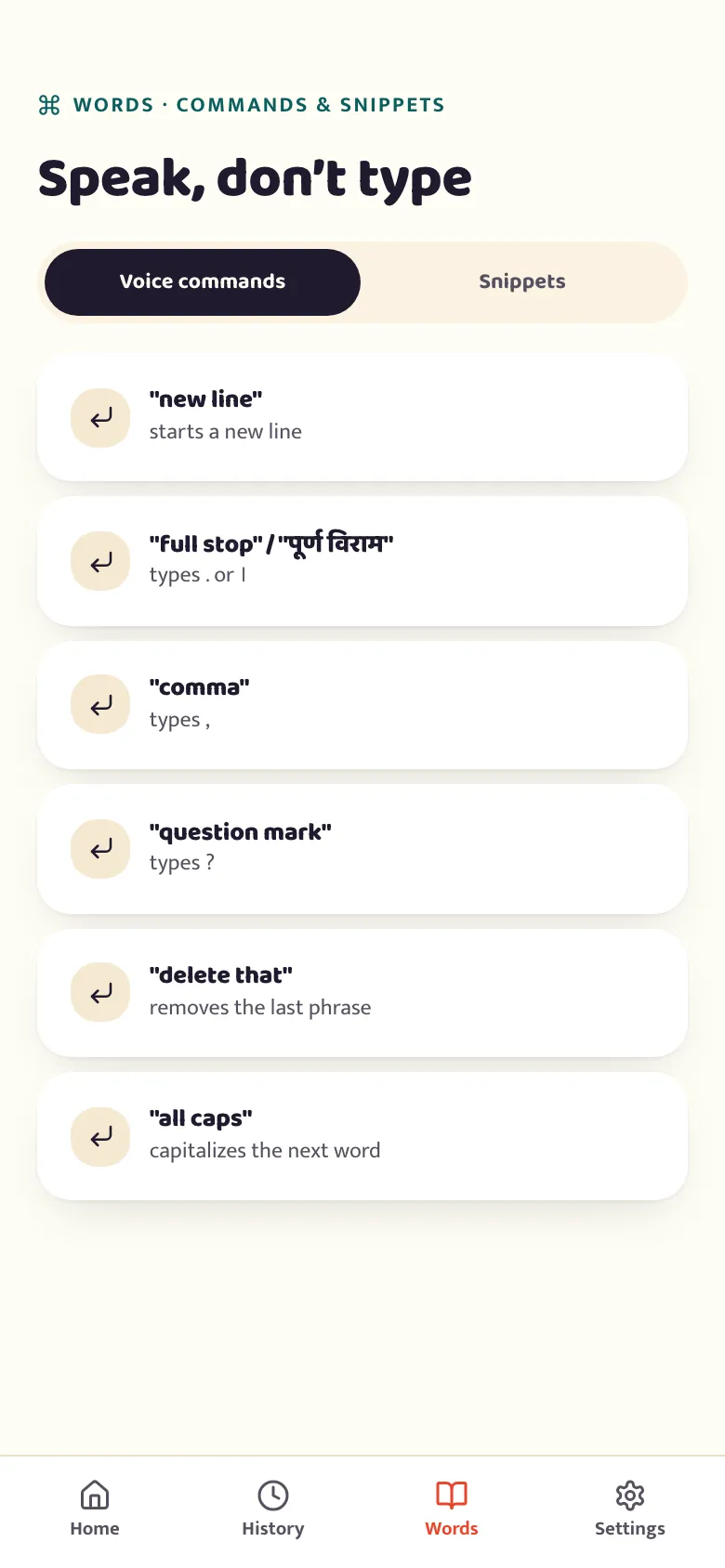
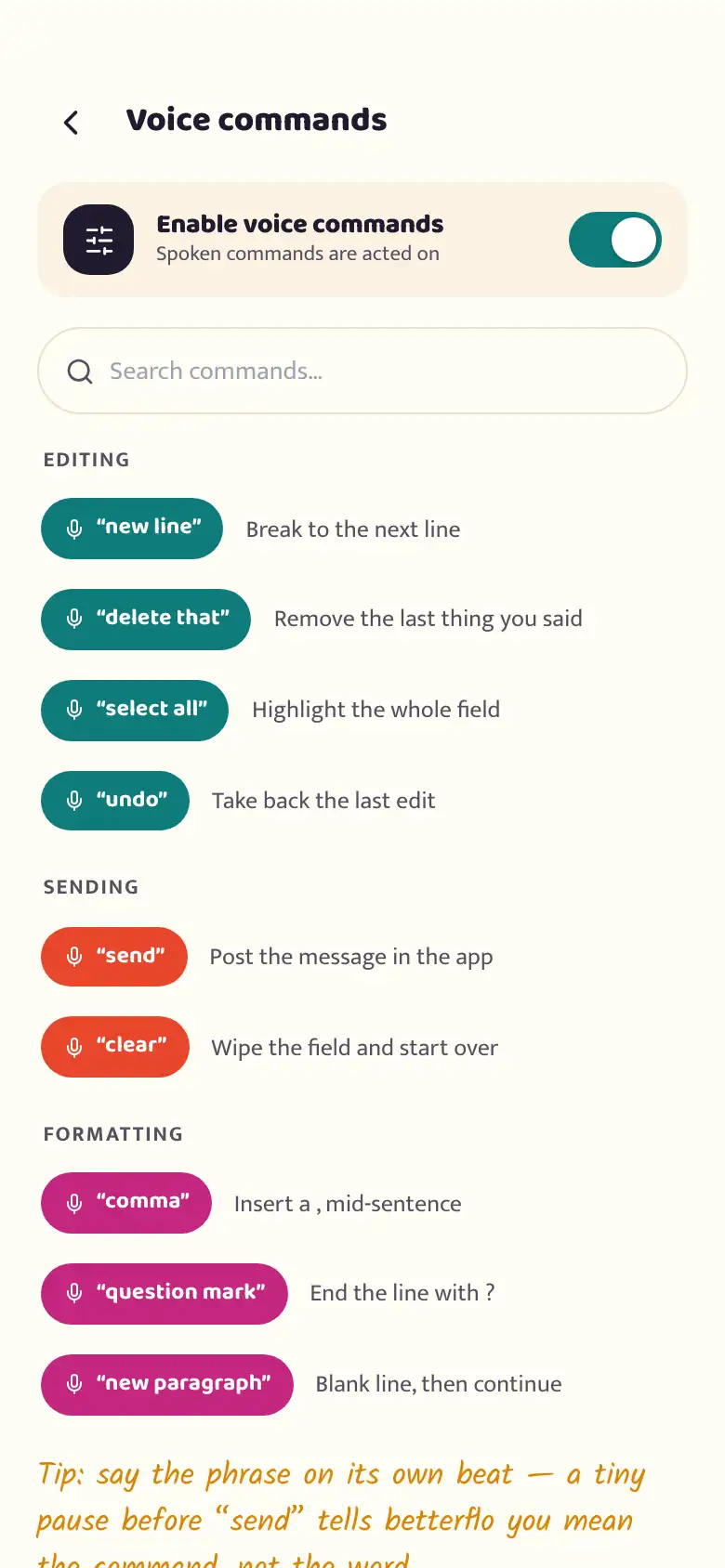
The betterflo voice-commands reference screen, showing spoken editing and formatting commands grouped by type, with a search field and a master on/off toggle
What's inside

Dictation, plus the parts that make it useful daily.

Dictation is the headline feature; everything below is already in the app you can install today. Some of it comes with a real caveat — we say exactly what, right on the row.

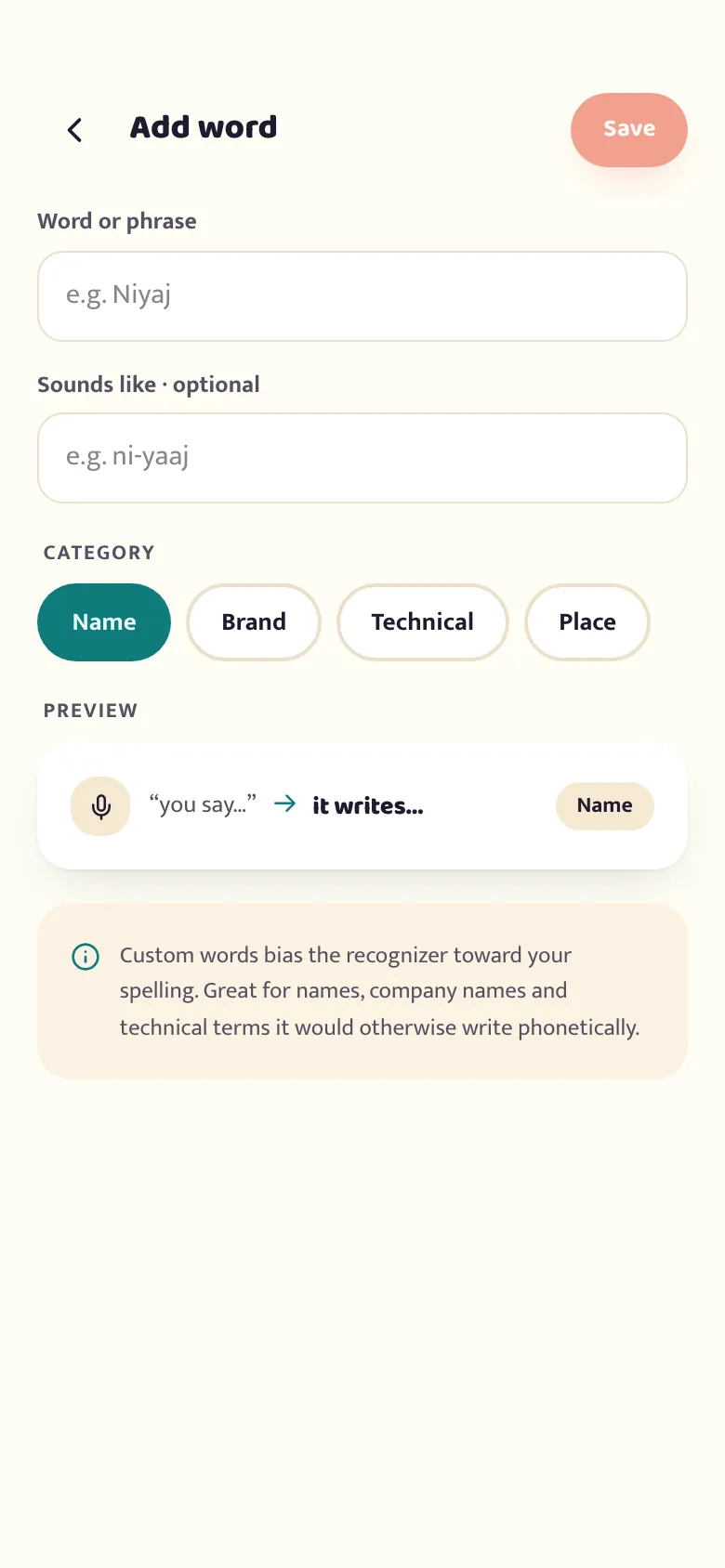
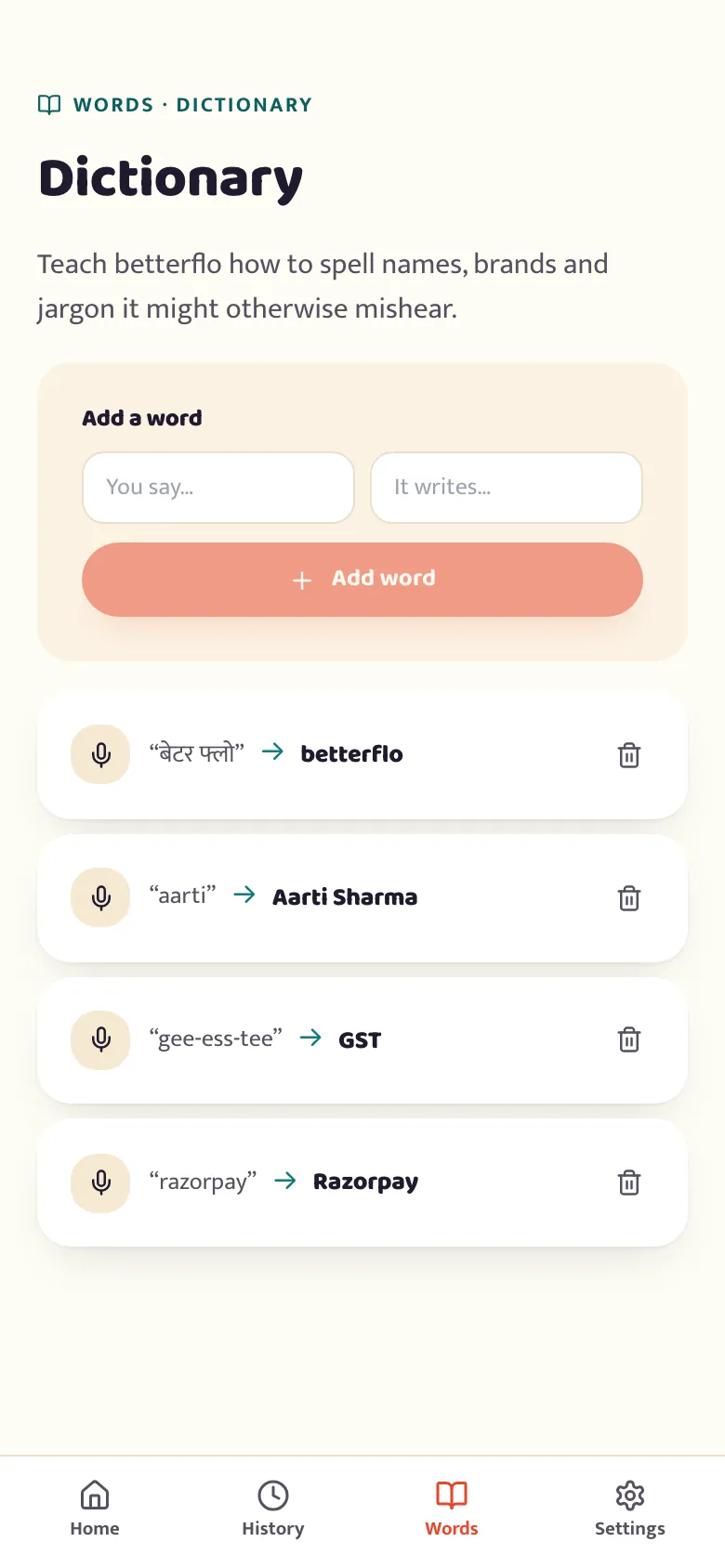
The betterflo dictionary screen listing custom words the recognizer should spell correctly, such as names and brands, with an add-a-word card at the top
Live today

Teach it your words

Names, brands and jargon a generic model guesses at wrong — keep a personal dictionary of spoken-to-written word pairs, with an optional "sounds like" hint and a category. It's wired straight into the recognizer, not cosmetic: every dictation reads your dictionary and biases toward your spelling from the next one on.
Live today

Say a command, not just words

Five spoken-punctuation commands act instead of getting typed literally: new line, full stop, comma, question mark, and exclamation mark (English only — said in another language it's transcribed as a plain word). That's the whole grammar today. Editing commands like "delete that" or "send" aren't wired up yet, so the reference screen at the top of this page doesn't list them — it shows only what actually runs.

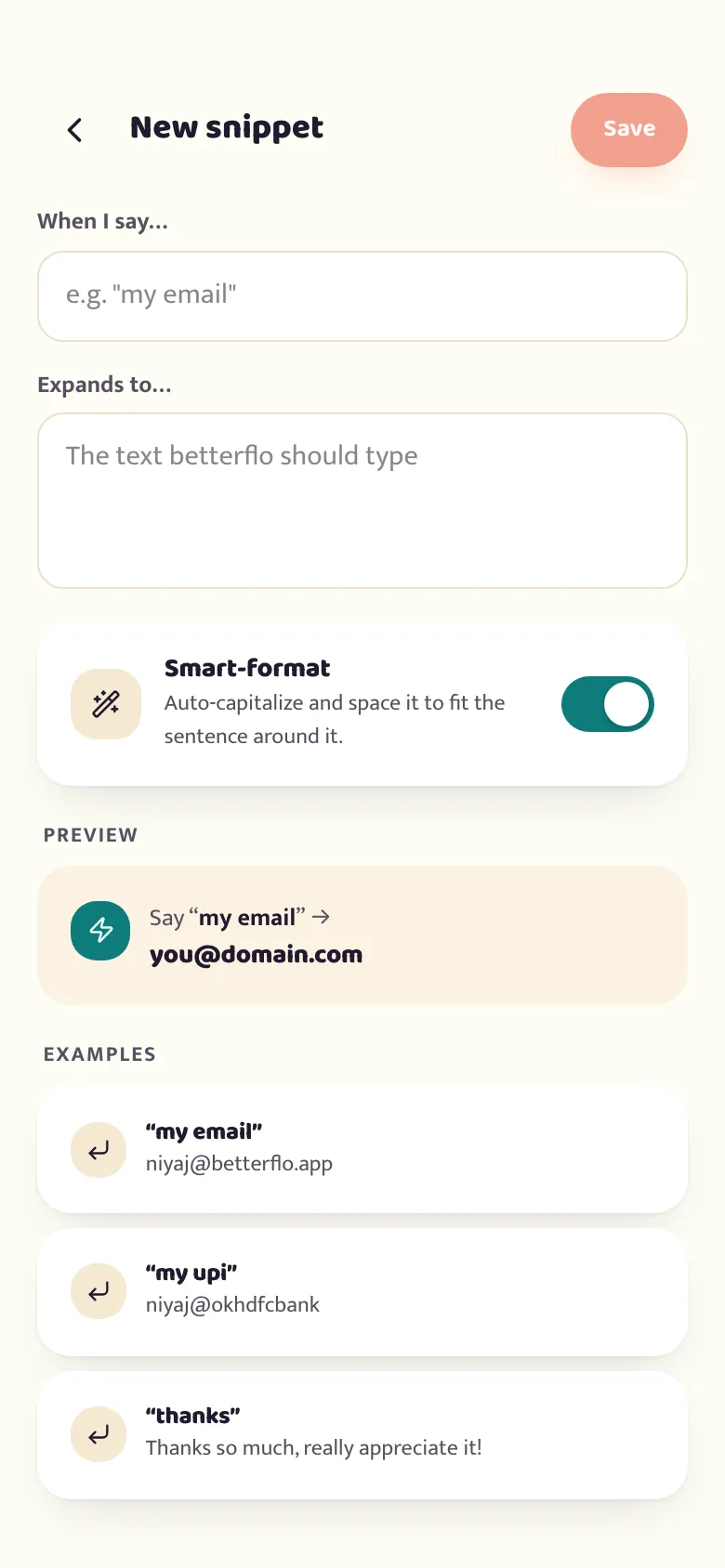
Snippets are separate and fully live: teach betterflo a trigger phrase — "say X, type Y" — and it expands automatically, with an optional smart-format toggle to fit the surrounding sentence.

Live today

Discard before it lands, not after

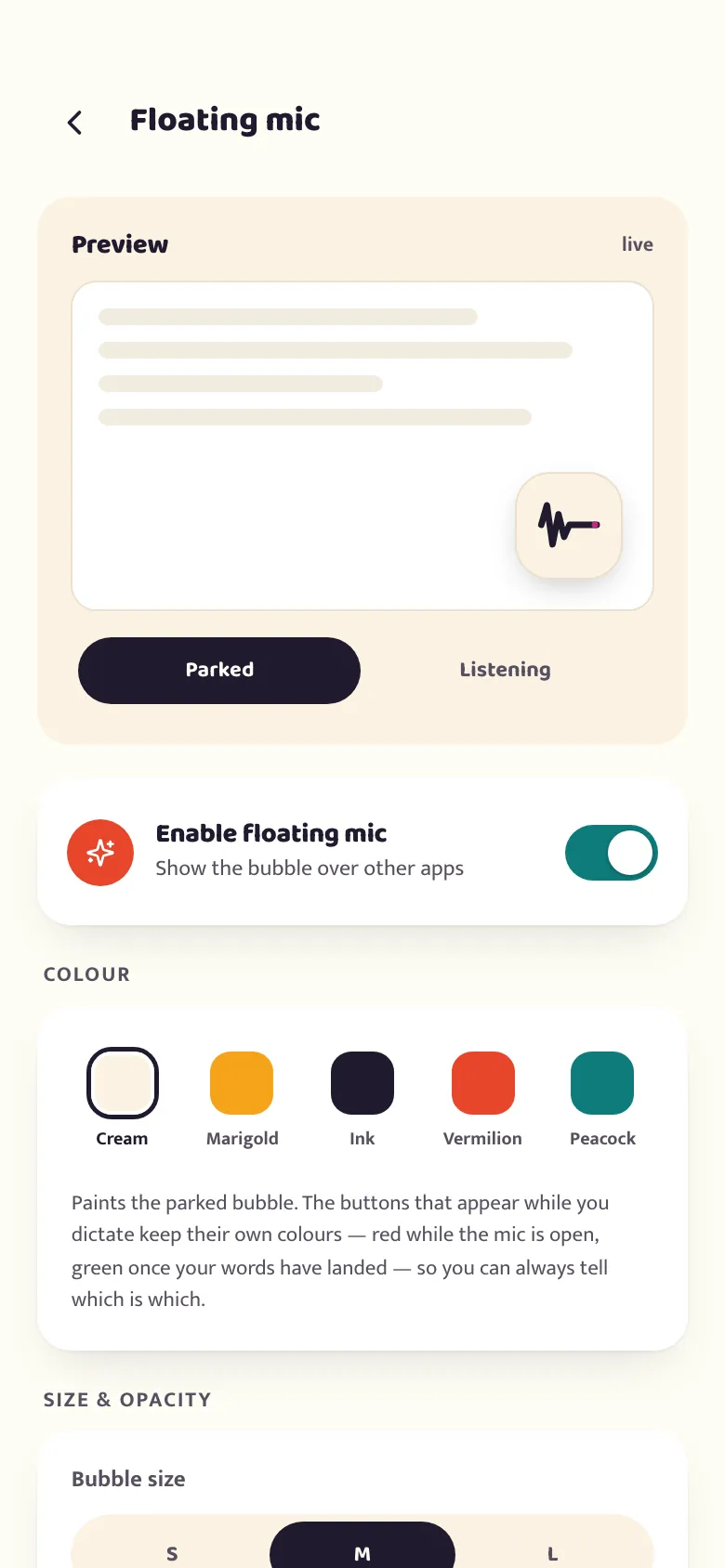
The bubble that floats over any app now carries a waveform, a discard control and a commit control — so a sentence betterflo got wrong never has to reach the field you were typing into. Position, size and five parked-state colours are yours to set in Settings; the buttons shown while you're actively dictating keep fixed colours on purpose, so you can always tell state apart at a glance.

One honest caveat: "hide in secure fields" only works while betterflo is your active keyboard. On the floating-mic route it can't yet tell a password box from any other field, though it still refuses to type into one either way.

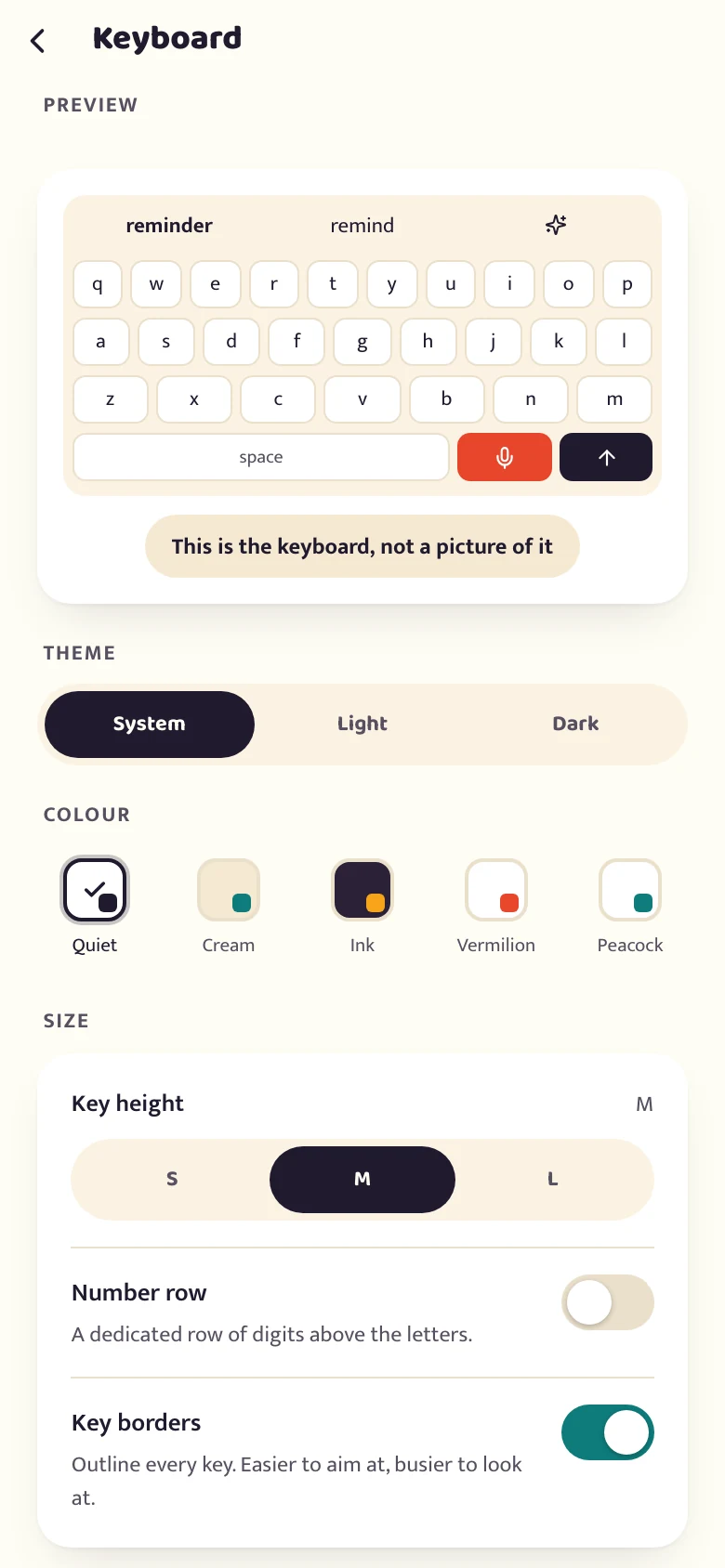
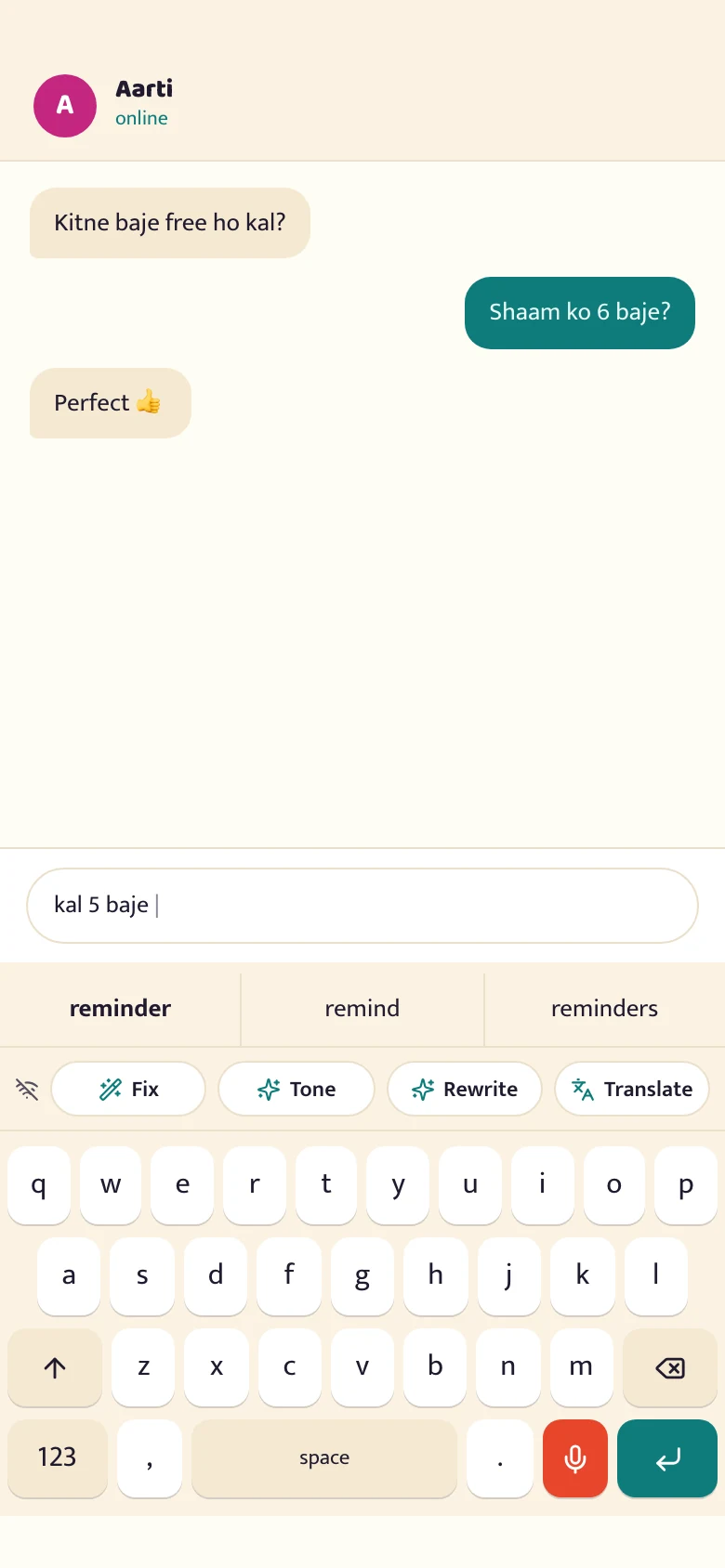
The betterflo keyboard typing under a chat: a QWERTY grid with a word-suggestion strip above it, an action bar offering Fix, Tone, Rewrite and Translate, and the mic key beside the space bar
Live today

A keyboard you can type on, and edit in

The betterflo keyboard is a keyboard first: a full QWERTY grid, a suggestion strip offering the next word as you go, and the mic key sitting beside the space bar. Dictation is one key on a keyboard now, not the only thing the keyboard does — so choosing the route that needs no accessibility permission doesn't mean giving up typing to gain a mic.

Above the keys sits an action bar. Fix tidies what you typed; Tone rewrites it as polite, professional, friendly or short; Rewrite reworks the line; Translate turns Indic text into English. All four run on the phone, and the panel counts 0 bytes sent while it works. Nothing is committed for you, either: the result appears beside what you wrote, with "Keep mine" as a first-class button. A rewrite that differs only in punctuation or casing is dropped rather than offered — a suggestion you can't tell apart from your own text is worse than saying nothing came back.

Translate is available on every device tier, though it may need a one-time download. Fix, Tone and Rewrite need a model bundle you download, and the lowest tier can't run them at all — permanently, not as a "not yet". A phone that can't deliver one of these buttons is never shown it. The gate is the hardware, not a paid add-on. See which tier your phone lands in.

It's the alternative to the floating bubble above, not a reduced version of it. Compare the two routes.

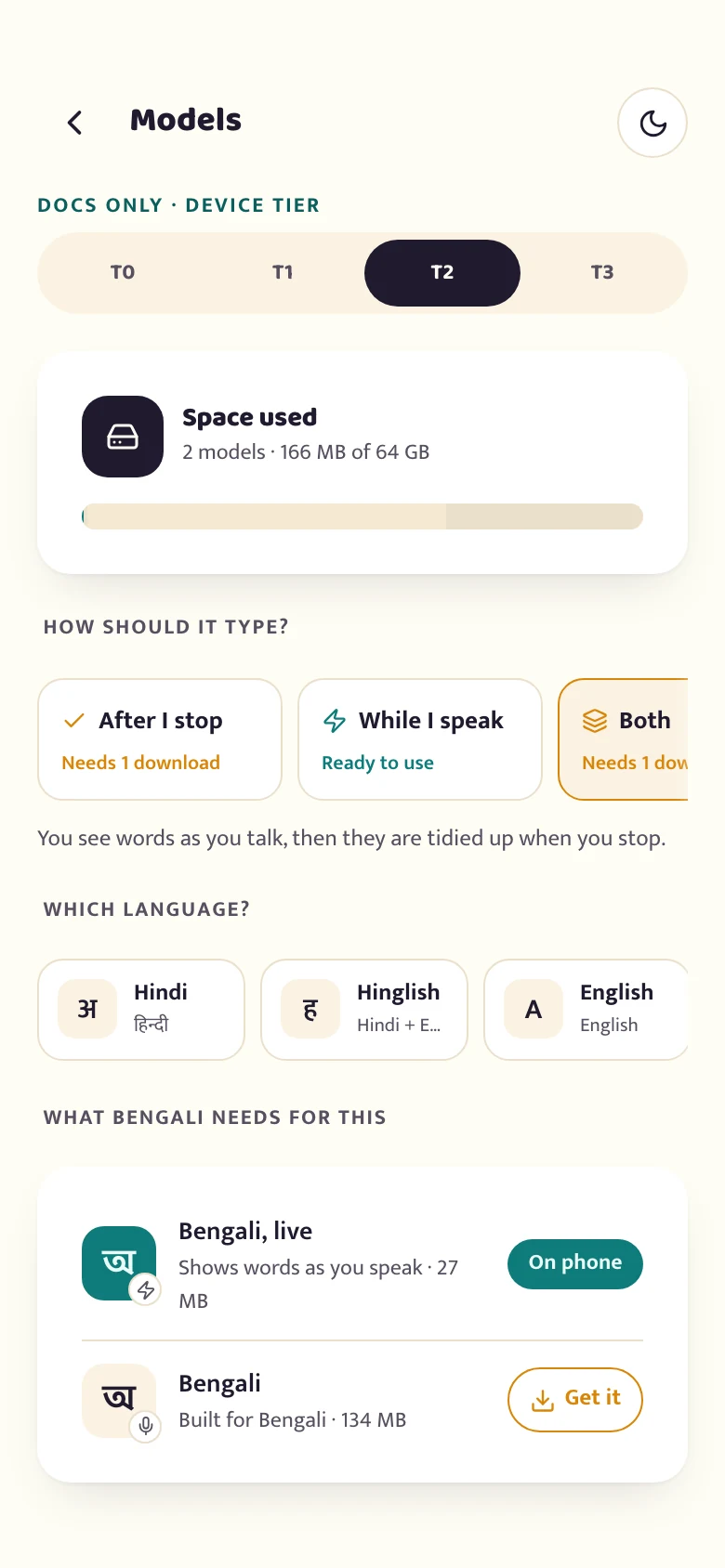
The betterflo manage-models screen, showing the models available for a language with their size on disk
Live today

Pick the model, not just the language

For a given language and device, betterflo often offers more than one model — never auto-selected, never the default. One alternate trades a little accuracy on short phrases for much better handling of heavy code-switching, and writes certain words in Latin script instead of native script. "Bigger" isn't a rule of thumb here: which model actually recognises better is measured, not assumed from file size.

Live today · two gates

Words appearing as you talk — where it's built to

"While I speak" streams text in as you go instead of waiting for you to stop. It only exists on the two higher device tiers — the two lower tiers keep one model resident at a time, permanently, not as a "not yet". Where the hardware supports it, it's still off by default behind an Experimental engines switch in Advanced settings, which warns plainly that streaming hasn't been tested on every phone and can drop or garble words.

See which tier your phone lands in.

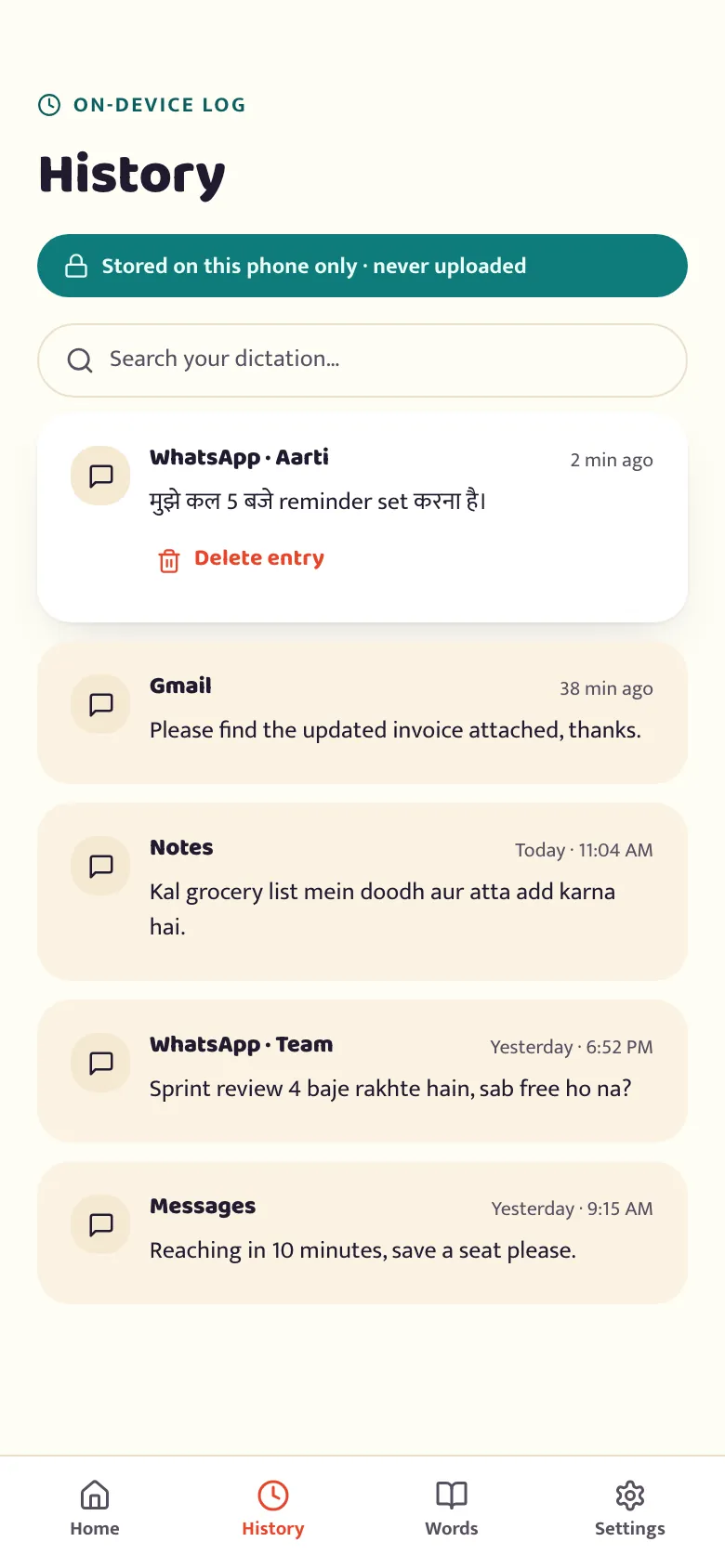
The betterflo history screen listing past dictations grouped by app, marked as stored on this phone only
Live today

Every dictation, kept private — on your terms

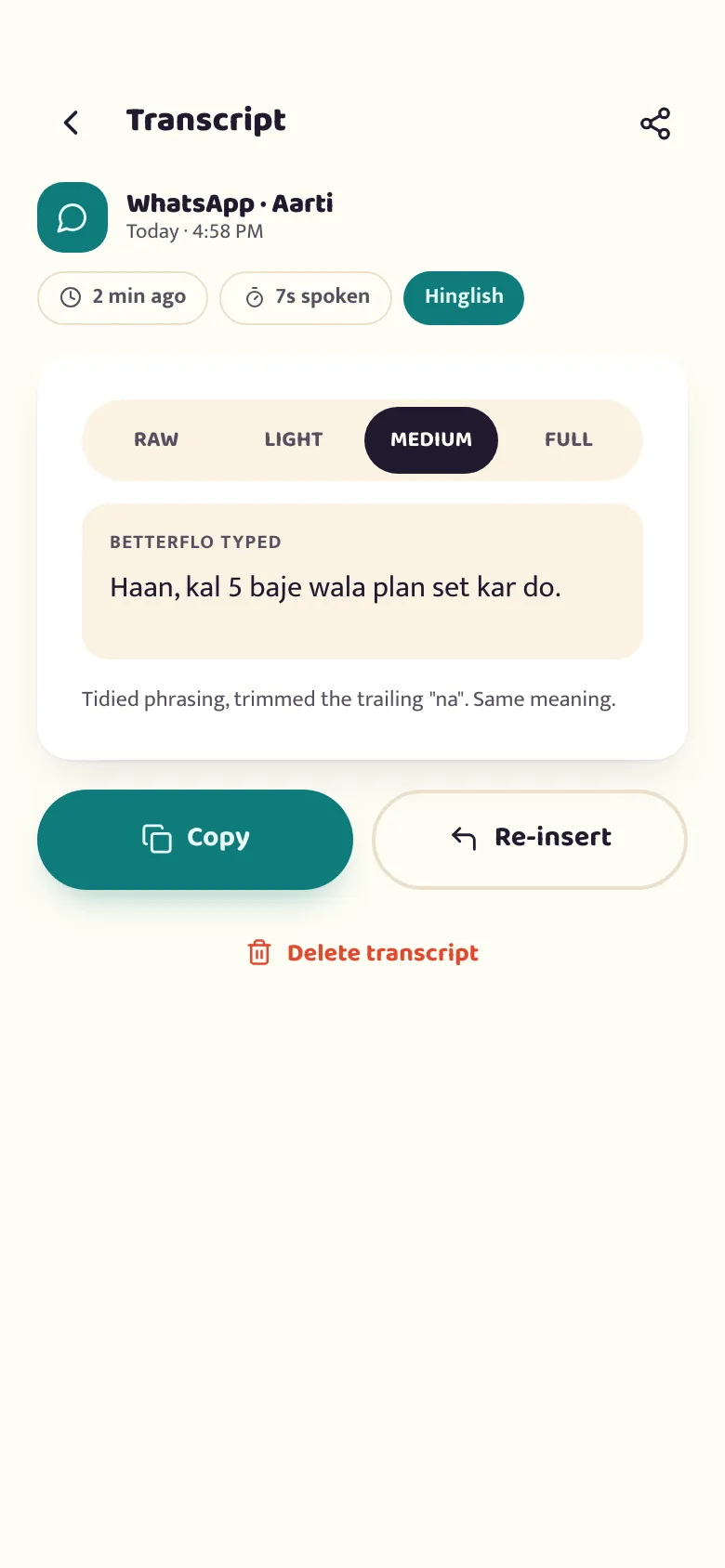
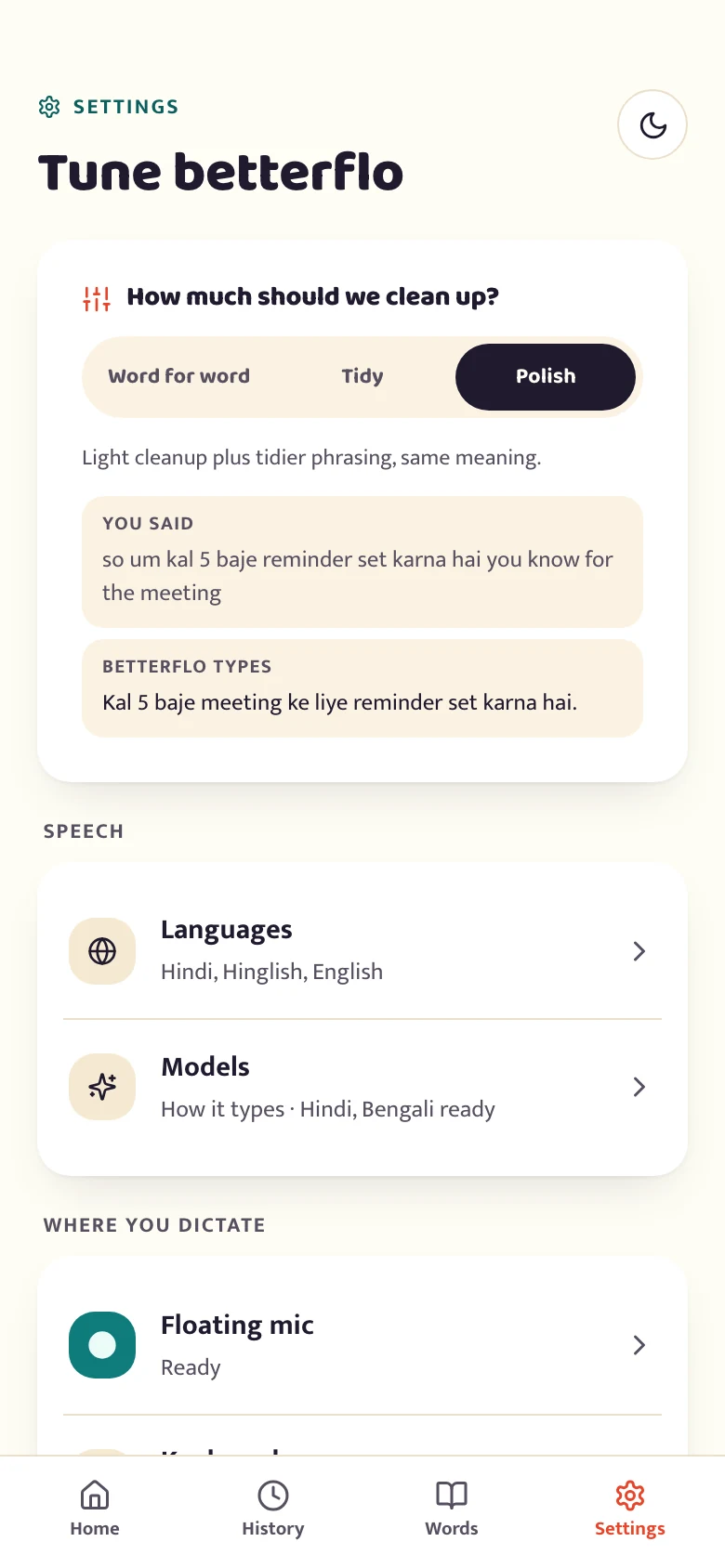
Every snippet you've dictated — grouped by app, tap to expand, tap to delete — lives in a log kept on this phone only, with a detail view showing exactly how each polish level changed it. Retention is yours to set: keep it forever, auto-clear after 24 hours, or turn it off entirely, which deletes everything already stored the moment you choose it.

Live today · optional

Long recordings, split where you actually paused

An optional on-device step marks where speech starts and stops, so a long dictation is transcribed phrase by phrase instead of as one continuous guess. It's tier-independent — every phone gets the same one — and it doesn't make dictation faster. What it does is make longer, rambling speech more accurate, measurably so on our own tests.

Live today

It shows you what it's doing

The dictation panel isn't a black box. It moves through states as you use it — idle, listening, polishing what you said, then inserted — so you always know whether it heard you. If a language hasn't finished downloading yet, it says so instead of guessing.

One more thing dictation can do

Type English without speaking it.

Pick Bengali, choose English output, and your Bengali speech arrives as English text. The translation runs on your phone too.

Available for most of betterflo's Indic languages, at the two higher device tiers. See the full list.

Early. On our own measurements it gets the meaning right about half the time, and when it's wrong the English still reads fluently. Native script is the default — turn this on only where a wrong sentence is cheap to fix.

The keyboard, dictionary, history, model and commands screens you can use today.

Tester program

Test it properly. Keep Pro for 12 months.

betterflo is live on Google Play. Use it the way you actually type, keep telling us what breaks, and the perk is yours — no invite list and no cap.

You sendReports we can act on

What you said, what came out, and the phone you said it on — sent as you hit them, not saved up.

You get12 months of Pro, free

From the day Pro launches, as a Google Play promo code sent to your inbox.

Ready when you are

Get the features that are live today.

Dictionary, history, model choice and the on-device pipeline are all in the app right now — see the full staged plan on the roadmap.